How to do it
Turn pages into pictures for a slide or a website, or pull out all the text in reading order.
- Open the PDF and choose File > Export.
- For pictures, choose Export as Images. Pick PNG or JPEG, the pages, and the quality (72, 150 or 300 DPI, or your own).
- For text, choose Export Text. Pick plain text or Markdown, and the pages.
- Choose a folder. Pictures are named after the file and page, like report-p003.png.
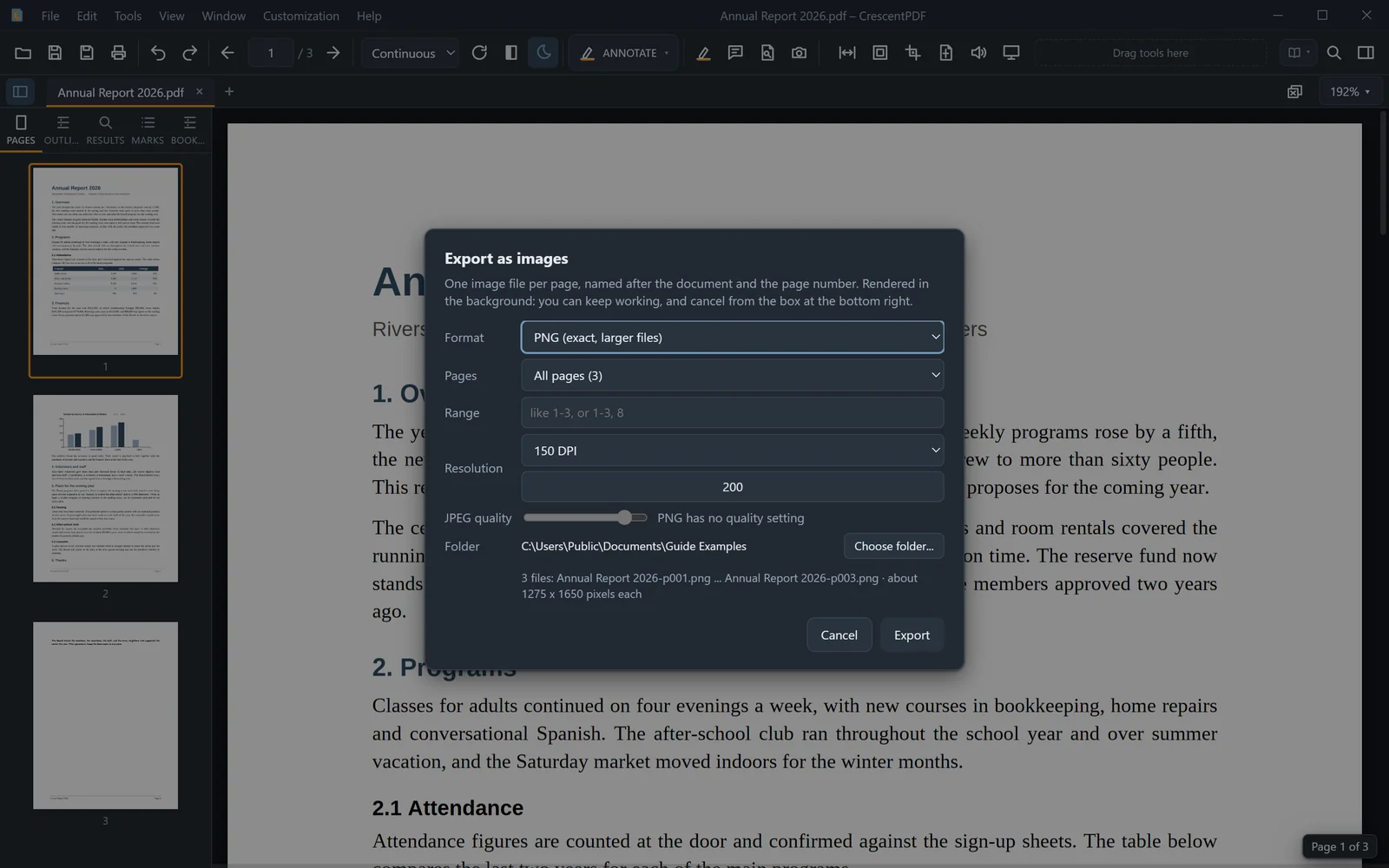 (opens full size in a new tab)