How to do it
Leave a comment someone can reply to, or put a stamp or a picture on the page.
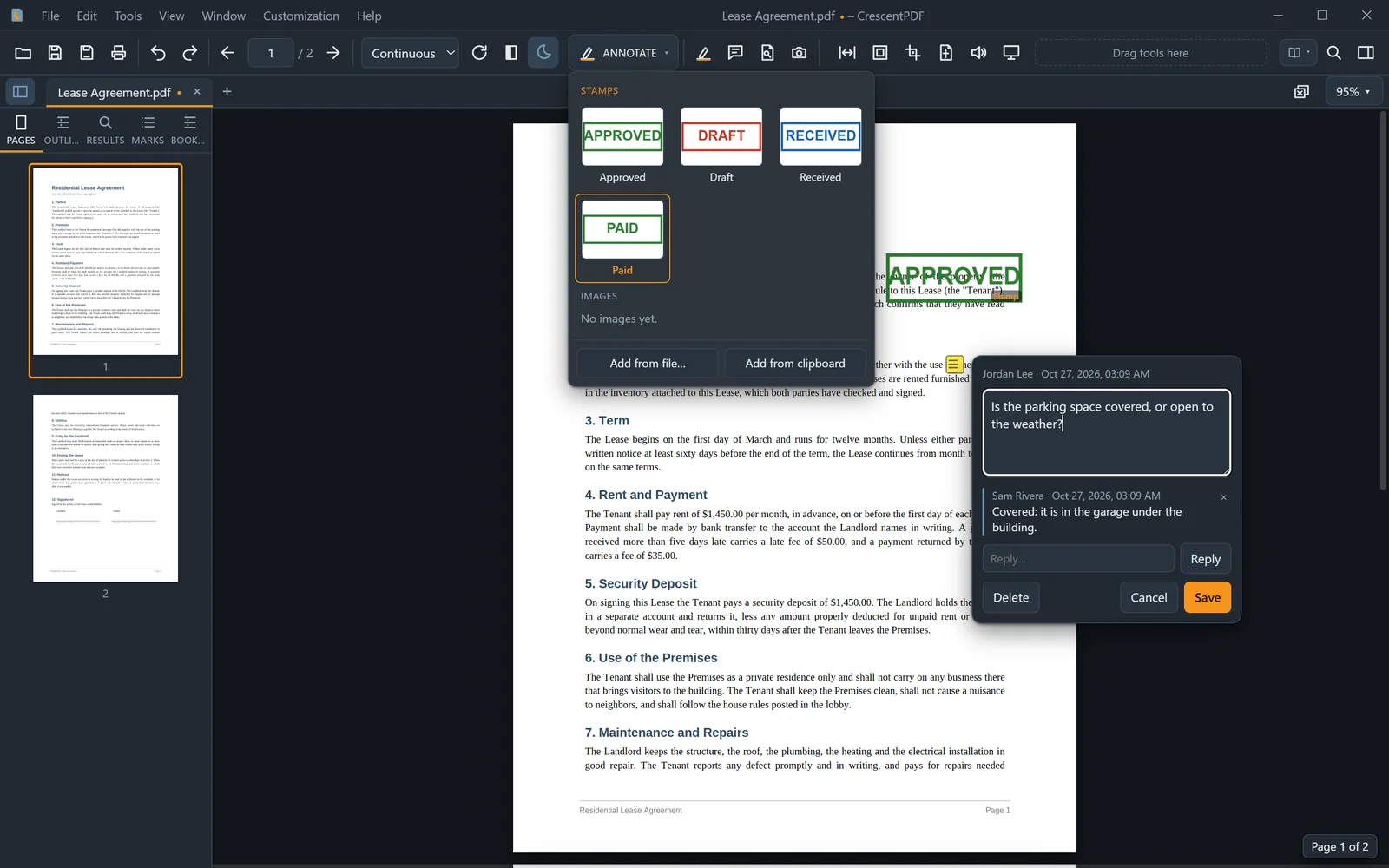
- For a note, choose Sticky Note on the toolbar, click where it goes, and type.
- To answer a note, click Reply under it. The whole conversation stays with the note.
- For a stamp, choose Stamp in the ANNOTATE button on the toolbar, or Tools > Draw > Stamp. A panel shows your stamps: pick one, then click to place it, or drag to set its size.
- Save to keep them in the file. Other PDF readers show the notes and replies too.
 (opens full size in a new tab)