How to do it
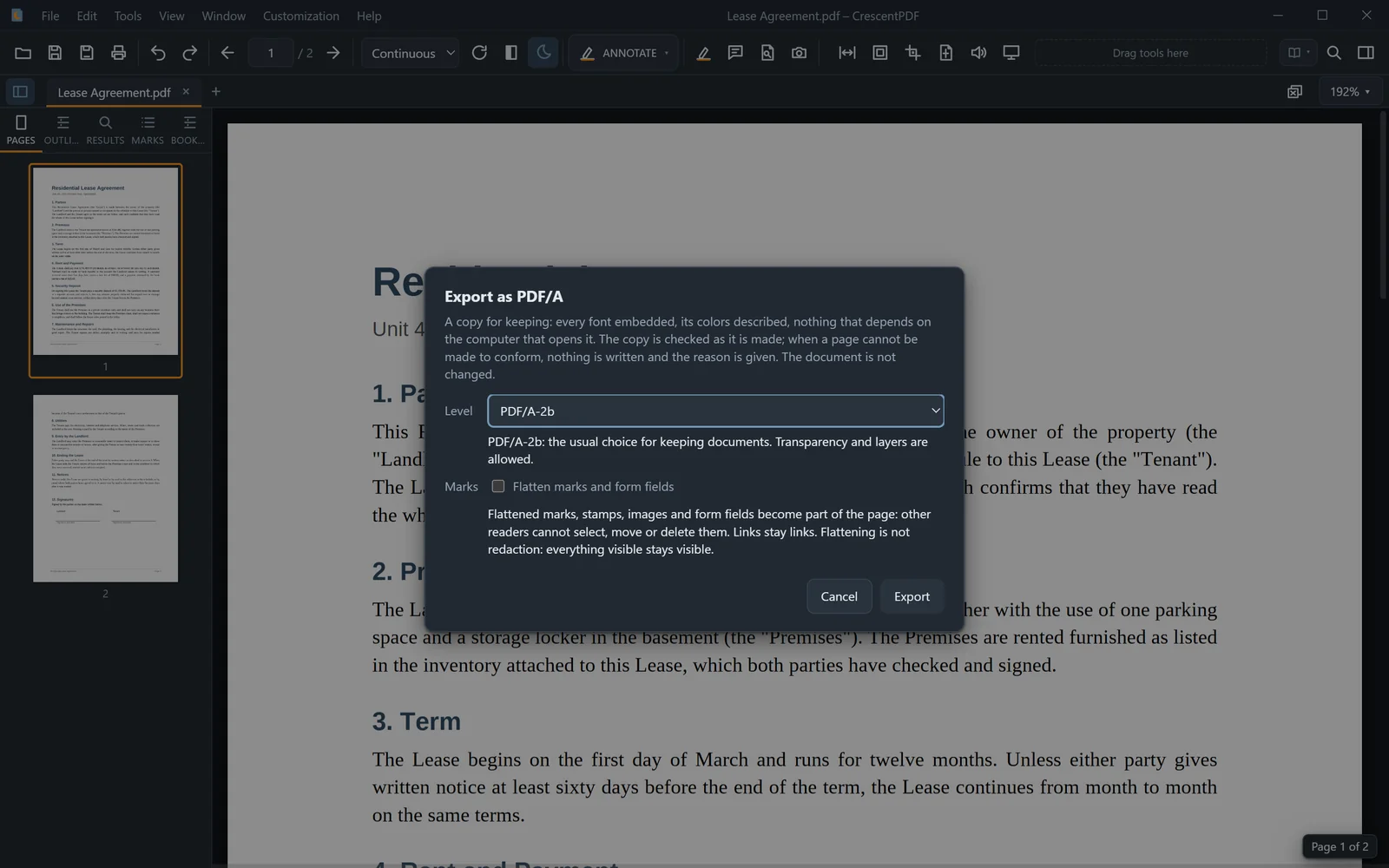
Courts, government offices and archives often ask for PDF/A: a PDF with every font inside it, so it opens the same way on any computer for years.
- Open the PDF.
- Open the File menu, then Export, and choose Export as PDF/A (or press Ctrl+K and type "PDF/A").
- Pick the level. PDF/A-2b suits most uses. Choose PDF/A-1b or PDF/A-3b if you've been asked for one of those.
- Choose a name and folder. CrescentPDF saves a new copy, and your original isn't changed.
 (opens full size in a new tab)