How to do it
Put a logo, a photo or a picture of your signature anywhere on a page.
- Open the PDF and choose Insert Image in the ANNOTATE button on the toolbar, or Tools > Draw > Insert Image (or press Ctrl+K and type "image").
- A panel shows your picture library. Add a new picture to it, or pick one you've used before.
- Click the page to place it at its normal size, or drag to set its size.
- Drag it to move it, and drag a corner to resize it. Save to keep it.
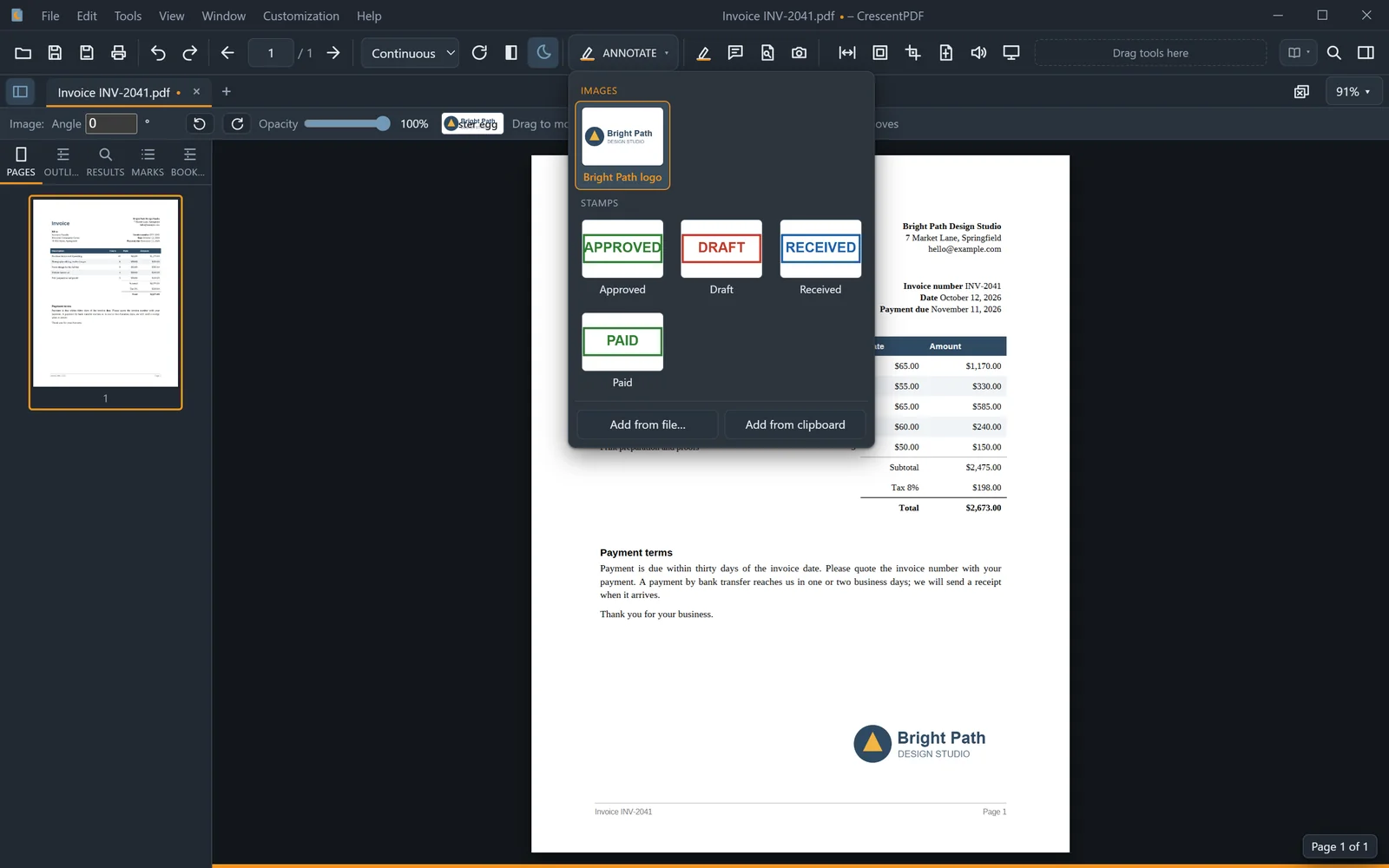 (opens full size in a new tab)