How to do it
Many books and reports number the front pages i, ii, iii and start again at 1. Page labels store that numbering in the file, without printing anything on the page.
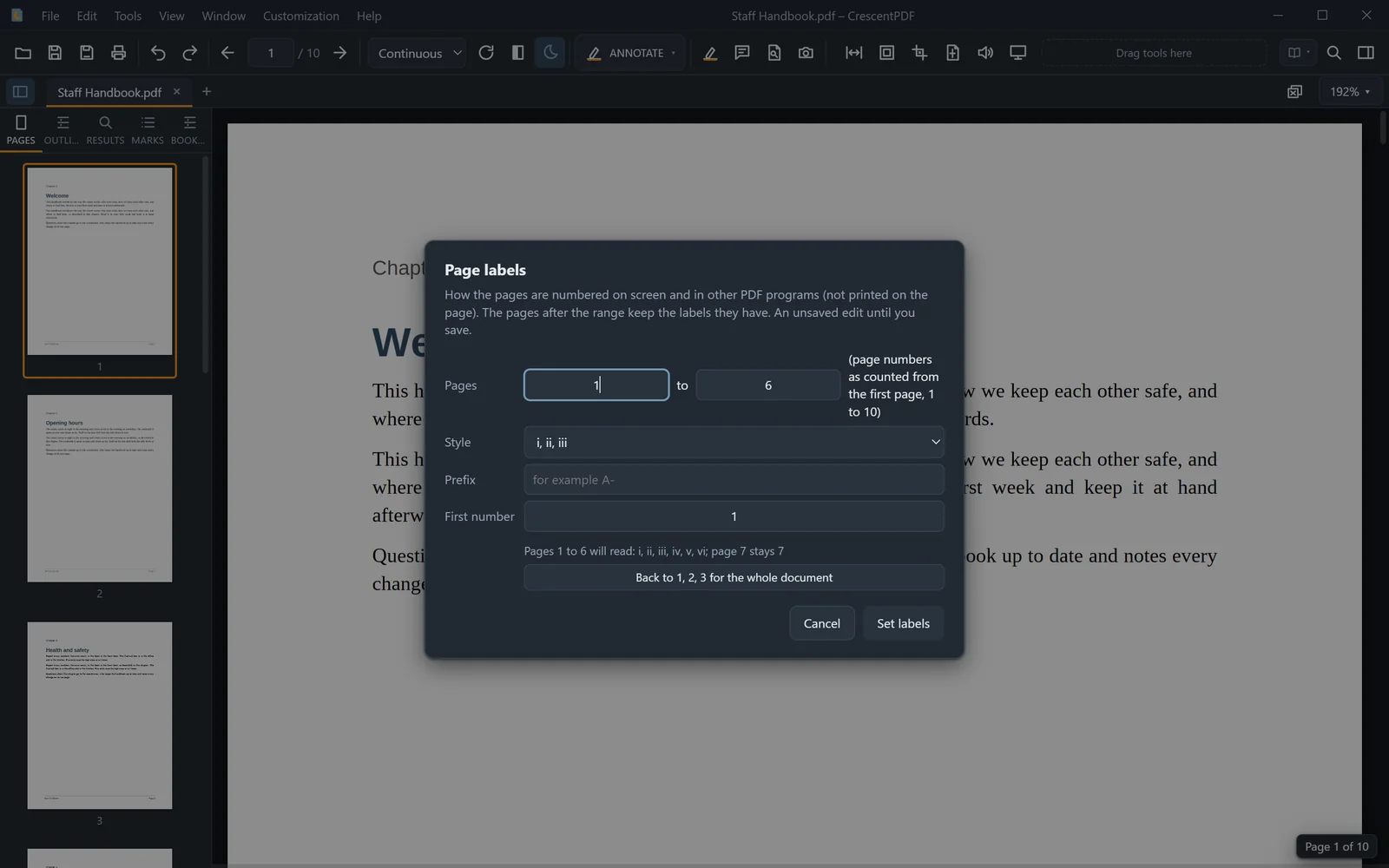
- Open the PDF and choose Tools > Numbering > Page Labels (or press Ctrl+K and type "labels").
- Choose the range of pages to label, for example pages 1 to 6.
- Pick the style (1, 2, 3; i, ii, iii; I, II, III; a, b, c; A, B, C), a prefix if you want one, like "A-", and the first number.
- Click Set labels and save. The pages after the range keep their labels.
 (opens full size in a new tab)