How to do it
Tables usually paste into Excel as one long jumble. Copy as Table keeps the rows and columns.
- Open the PDF and select the table by dragging across it.
- Right-click and choose Copy as Table, or press Ctrl+Alt+C.
- In Excel, click a cell and paste with Ctrl+V. Each column lands in its own cells.
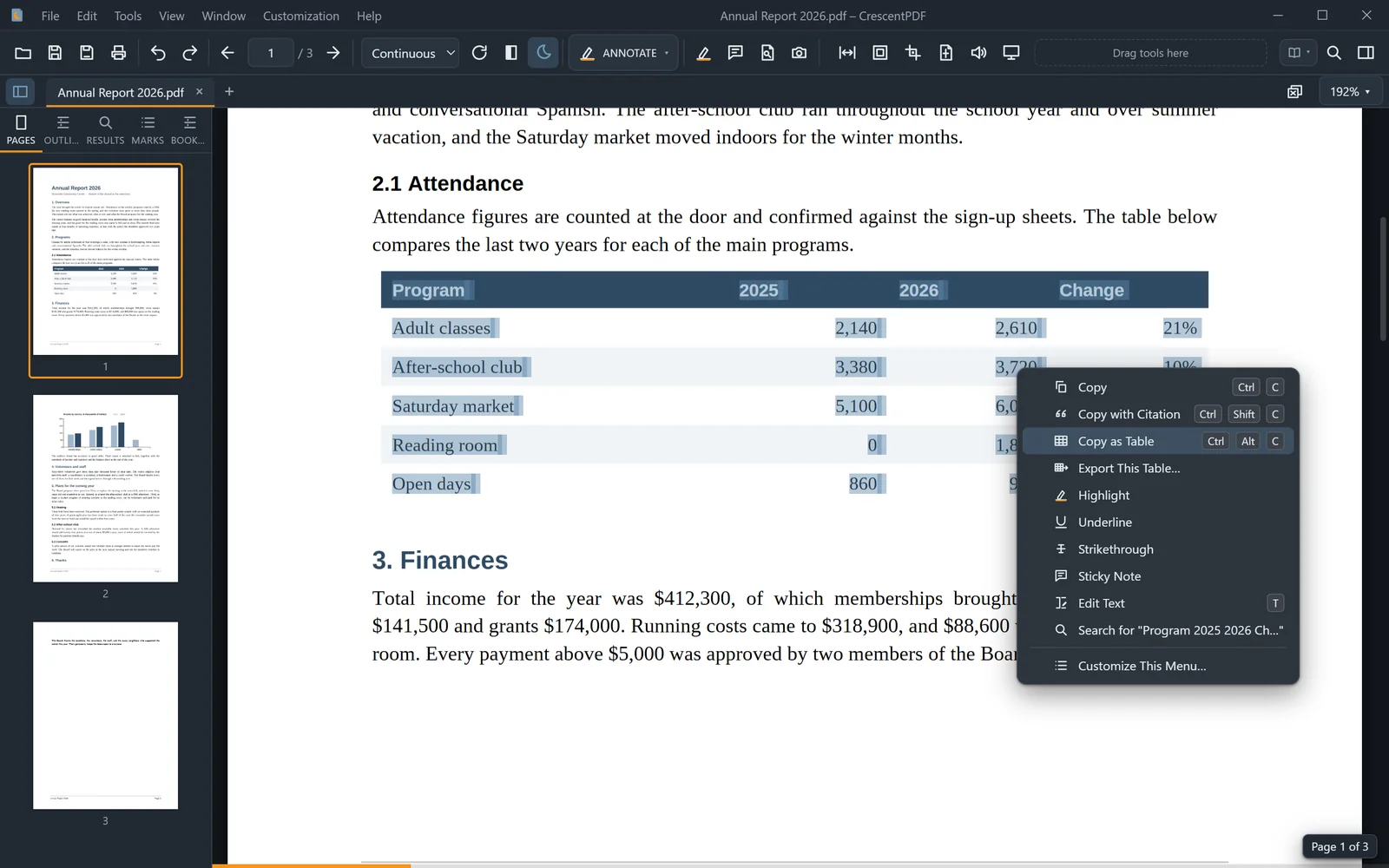 (opens full size in a new tab)