How to do it
Change a name, a date or a typo everywhere it appears, with a preview of every change first.
- Open the PDF and press Ctrl+H.
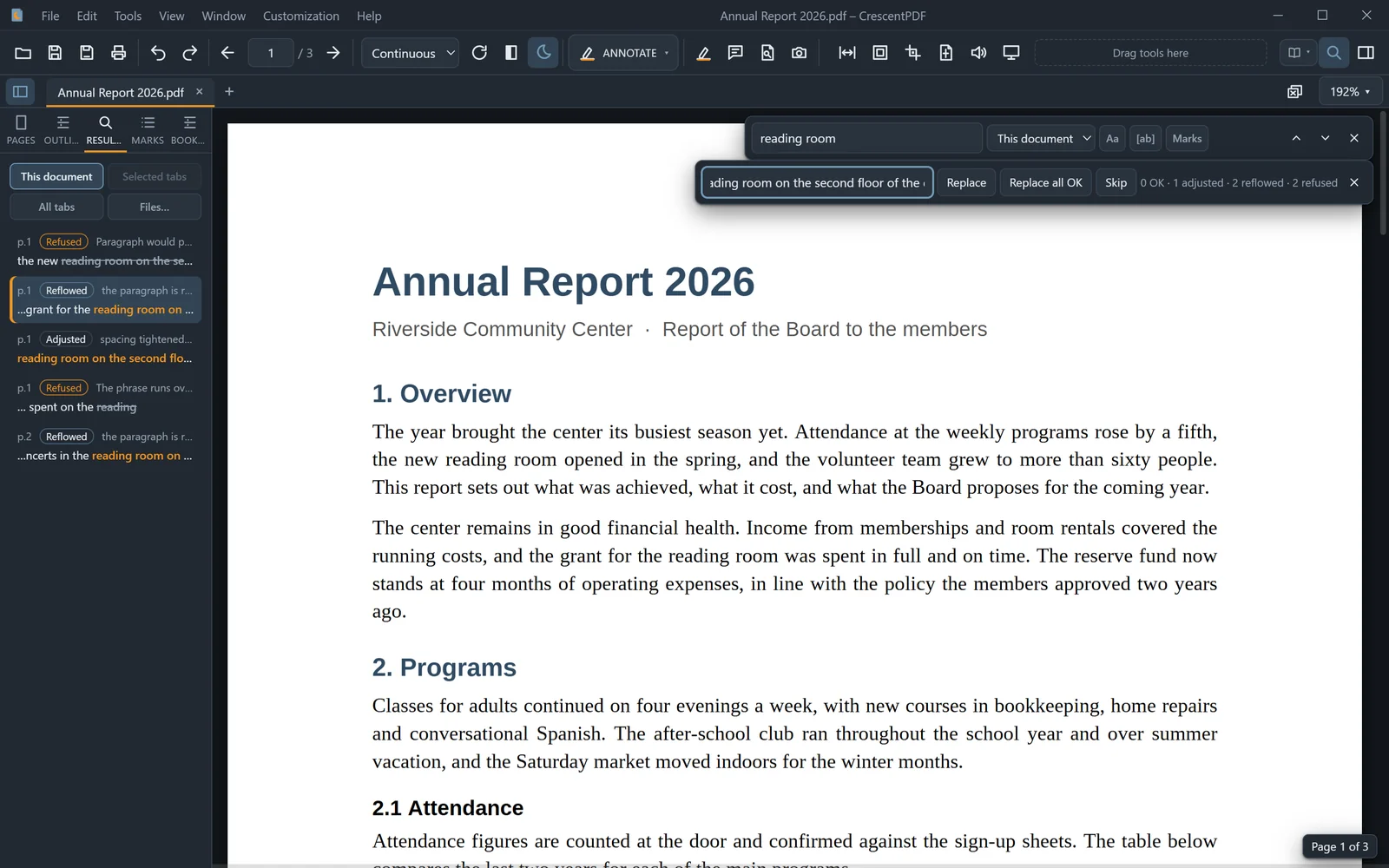
- Type what to find, and what to replace it with.
- Check the Results tab. Each match shows how its line will read after the change.
- Click Replace or Skip for each one, or Replace all OK to make every change that can be made. Then save.
 (opens full size in a new tab)