How to do it
Watermark, number, compress or convert a whole folder of PDFs with the same settings.
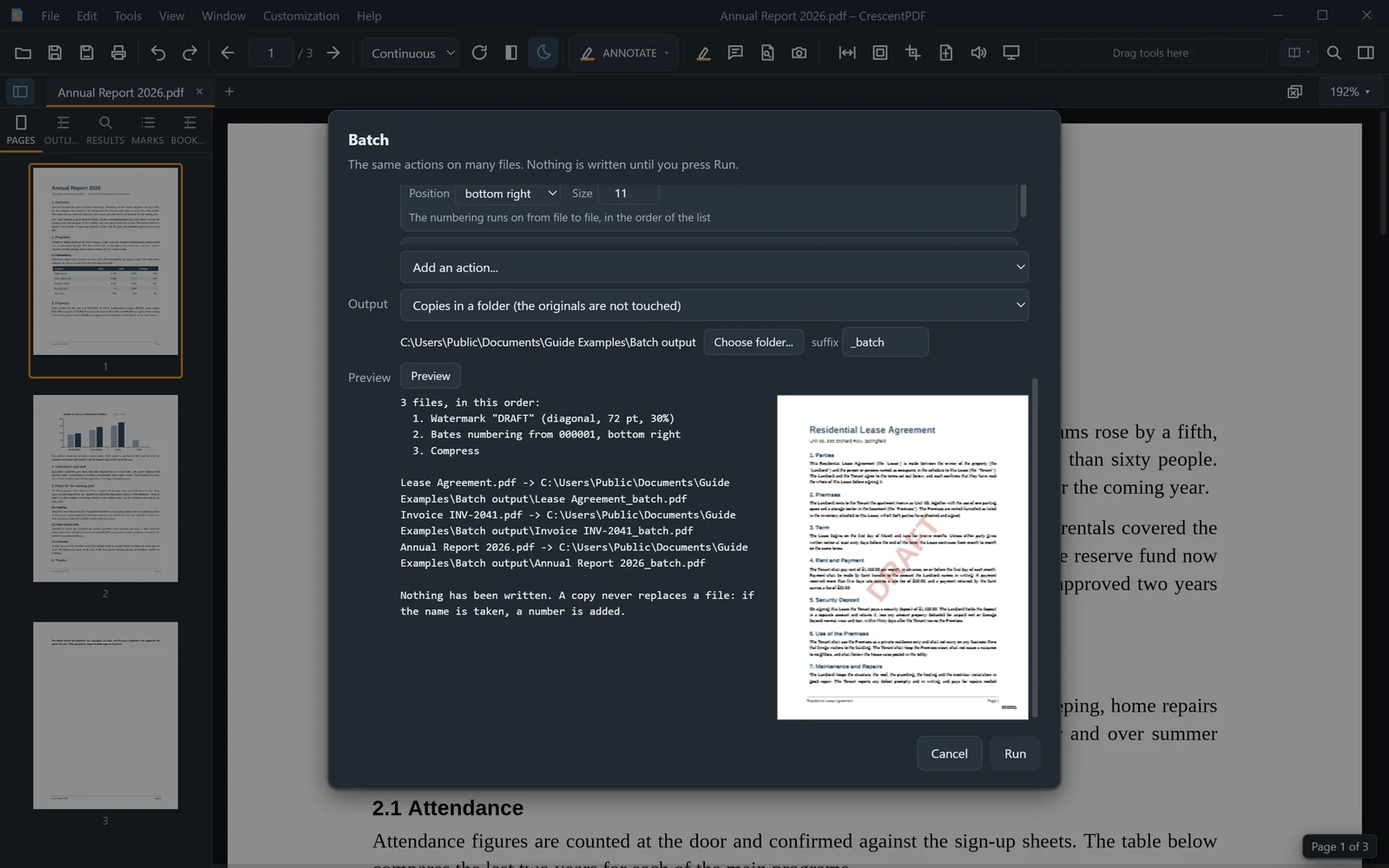
- Open the Tools menu and choose Batch.
- Pick the files, or a folder (with its subfolders if you like).
- Add the jobs in order, for example Watermark, Header & Footer, Bates numbering, Compress, Rotate or Export as images, and set each one up.
- Choose where the results go: copies in a folder, which never replace a file, or the originals, after one confirmation that names them.
- Click Preview to check the plan and the first file, then Run.
 (opens full size in a new tab)